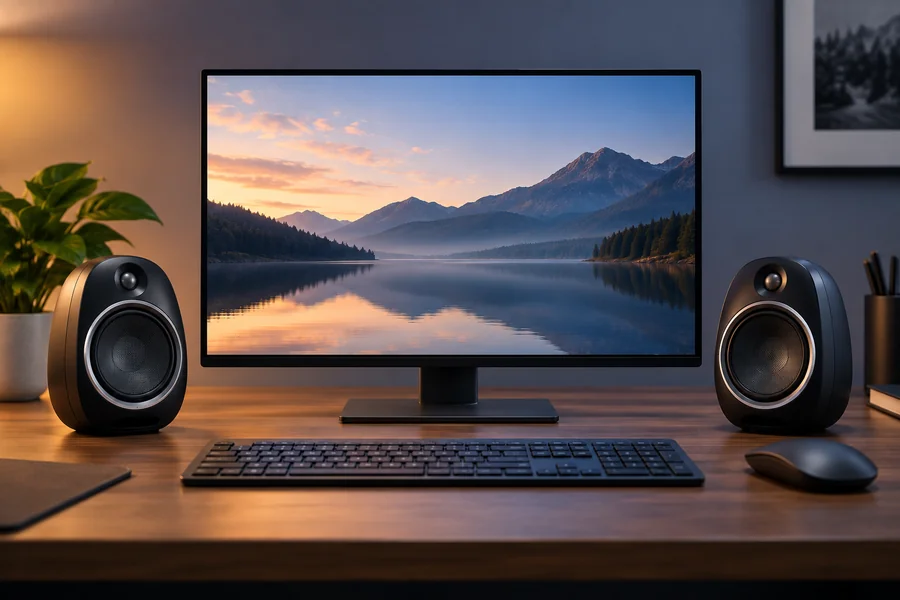
For those who value the reliability of desktop audio, JBL Duet speakers for PC continue to be popular among users seeking crystal clear audio for their music, movies, gaming, and everyday use. These speakers are known for their compact design and balanced audio performance, providing a great listening experience while minimizing desk space.
Built-in monitor speakers or an older, time-tested speaker setup can all be replaced with JBL Duet speakers, and knowing what they’re made of is important to making the right decision.
Quick Facts About JBL Duet Speakers for PC
| Feature | Details | Example Benefit |
| Speaker Type | 2.0 Desktop Speaker System | Suitable for office desks and study setups |
| Connectivity | Wired connection | Simple plug-and-play use |
| Sound Profile | Balanced audio with clear mids and highs | Better voice clarity during videos |
| Design | Compact desktop design | Saves desk space |
| Best For | Music, movies, casual gaming | Versatile daily use |
| Setup Difficulty | Easy | Ready within minutes |
| Power Source | External power adapter | Stable audio performance |
| Desktop Compatibility | Windows PCs, laptops, Mac systems | Works across multiple devices |
What Are JBL Duet Speakers For PC?
JBL Duet speakers for PC are desktop speakers, which offer enhanced sound quality over standard built-in computer speakers. They are designed to be compact and reliable, suitable for users who require reliable sound for everyday tasks.
The speakers are made by JBL, a world-renowned speaker equipment manufacturer, audio products, portable speakers, home audio systems, headphones and professional speaker equipment.
The Duet series was so popular because it featured a combination of:
- Clear sound output
- Simple setup
- Compact size
- Attractive desktop appearance
- Reliable everyday performance
They were a convenient upgrade for many users from poor quality PC speakers.
JBL Duet Speakers For PC Features
JBL Duet speakers stand out for a number of features that captured the attention of desktop users.
Compact Design
A major benefit is the size of the unit.
Speakers sit comfortably next to most monitors, without taking up so much space.
This is suitable for:
- Home offices
- Student desks
- Small gaming setups
- Workstations
Clear Audio Performance
JBL did not go overboard with the bass, but instead emphasized good balance.
Users often appreciate:
- Clear vocals
- Detailed mids
- Crisp highs
- Good stereo separation
This will make podcasts, online videos, and meetings on YouTube feel more natural.
Plug-and-Play Setup
It takes only a few minutes to connect JBL Duet speakers for PC for most users.
It’s easy to do:
- Connect the speakers.
- Connect the power adapter to the power source.
- Attach the audio cable to the PC.
- Adjust the volume.
No special software is usually required.
Modern Desktop Appearance
The design is still crisp and sleek.
The curved design and slim silhouette allow the speakers to seamlessly integrate into various settings, such as offices and home environments.
Read Also: Useful Tech Gadgets for Everyday Life
JBL Duet Speakers For PC Sound Quality
People usually look at desktop speakers with regard to the sound quality.
Music Listening
When it comes to music playback, JBL Duet speakers deliver a well-balanced sound, no matter the genre.
They do well on:
- Pop music
- Classical music
- Jazz
- Acoustic tracks
- Podcasts
Vocal clarity and intelligibility are maintained.
Movies and Streaming
The speakers deliver better audio details than built-in monitor speakers when it comes to watching movies or streaming content.
Dialogue is easier to hear.
Background music and sound effects are also enhanced.
Casual Gaming
JBL speakers aren’t gaming specific, but they’re suitable for casual gaming.
Players can hear:
- Character dialogue
- Environmental sounds
- Background music
- Basic directional audio cues
Some gamers might still opt for gaming headsets for competitive gaming.
Why People Still Search For JBL Duet Speakers For PC
Many people are still looking for JBL Duet Speakers for PC, for a number of reasons.
Proven Reliability
Numerous owners claim that they have not had any problems with their use over the years.
Another reason that the model is still discussed online is its durability.
JBL Brand Reputation
JBL has gained trust in the audio industry over a number of years.
People are generally at ease purchasing products from a trusted brand of audio manufacturer.
Balanced Audio Experience
Heavy bass isn’t for all.
Many desktop users will choose to hear balanced sound for:
- Work
- Study
- Video calls
- Music
The JBL Duet series is designed for this type of listener.
JBL Duet Speakers For PC Setup Guide
It’s easy to get started.
Step 1: Position the Speakers
Position left and right speakers to either side of the monitor.
If possible, hold them at ear level.
Step 2: Connect Power
Attach the power adapter according to the instructions provided with the speaker system.
Step 3: Connect Audio Input
Insert the audio cable into:
- DeThe audio output from the desktop PC.
- Laptop headphone jack
- Audio interface output
Step 4: Test the Sound
Play music or play a video.
Set the volume to a level that is comfortable.
Step 5: Fine-Tune Placement
The slight movement of the speaker can enhance the stereo imaging and overall sound.
Read More: What Are IEMs?
JBL Duet Speakers For PC vs Built-In Computer Speakers
Many users are not sure if external speakers have any impact.
Comparison Table
| Feature | JBL Duet Speakers for PC | Built-In Computer Speakers |
| Volume Output | Higher | Lower |
| Audio Detail | Better | Basic |
| Stereo Separation | Strong | Limited |
| Music Quality | Clearer | Often flat |
| Movie Experience | More immersive | Less engaging |
| Desk Presence | Requires space | Integrated |
Most users prefer the dedicated speakers as they give them a clear distinction.
Best Uses For JBL Duet Speakers For PC
Home Office Work
Video meetings become clearer.
Voice communication sounds more natural.
Online Learning
Students are able to hear their teachers clearly in the lecture and video classroom.
Entertainment
Films, videos on YouTube and streaming services are more enjoyable.
Everyday Music Listening
The balanced tuning is suitable for studying and working.
Things To Consider Before Buying
Before purchasing JBL Duet speakers for PC, consider a few factors.
Available Desk Space
The speakers are compact, but still need space next to your monitor.
Connectivity Needs
See if your computer has the appropriate audio line.
Audio Expectations
A system with a dedicated subwoofer might be more suitable if you are looking for more bass for action films or electronic music.
Product Availability
As the JBL Duet series is an older model, availability varies by region/ marketplace.
Common Questions About JBL Duet Speakers For PC
Are JBL Duet speakers good for gaming?
Yes. They are suitable for casual gaming and general entertainment. Competitive gamers may still prefer dedicated gaming headsets.
Do JBL Duet speakers work with laptops?
Yes. They are useful for gaming and entertainment in general. For competitive game players, a dedicated gaming headset still might be preferred.
Can they be used for music production?
They are suitable for casual listening, but not for studio monitoring.
Are they easy to install?
Yes. It is very easy to setup and usually takes less than 5 minutes.
Do JBL Duet speakers need software?
No. Most systems require no software to be installed.
Summary: Why JBL Duet Speakers For PC Remain Popular
JBL Duet speakers for PC remain popular because of their user-friendliness, audio quality, and desktop-friendliness. They offer a significant improvement over standard computer speakers and are easy to set up and use.
These speakers are a convenient choice for individuals who prioritize clear sound quality for work, play, studying online, video conferencing, or listening to music. Their small footprint allows them to fit easily into today’s compact workspaces, and JBL’s audio expertise ensures that they perform consistently.
Final Thoughts
JBL Duet speakers for PC keep getting noticed due to their ability to resolve one of the more common dilemmas – poor desktop sound. They provide excellent sound quality, simplicity, and reliability and do not require complex configuration.
If you’re looking for an easy upgrade for your computer, the JBL Duet series is a popular choice. These speakers may be used to enhance your work, educational, movie or music experience, and can help keep your desk clean and tidy.