If clean and accurate sound is your concern, then you know the name Benchmark DAC. It's talked about by audio enthusiasts, recording engineers, and home audio enthusiasts. So…what is it and is it appropriate to you?
A tutorial for a Benchmark DAC that goes through the process step by step. You will learn about it, how it operates, the models available and what to look out for when buying it.
Finally, you'll determine if a Benchmark DAC is the music, speaker, and price you need.
For related reading, see our guides to what a DAC is, external DAC versus built-in DAC and the DAC streamer.
What Is a Benchmark DAC?
The device used to convert digital to analog signals is called a DAC. Music is digital data on your phone, laptop and music streamer. Speakers/headphones require an analog signal. A DAC will make one to the other.
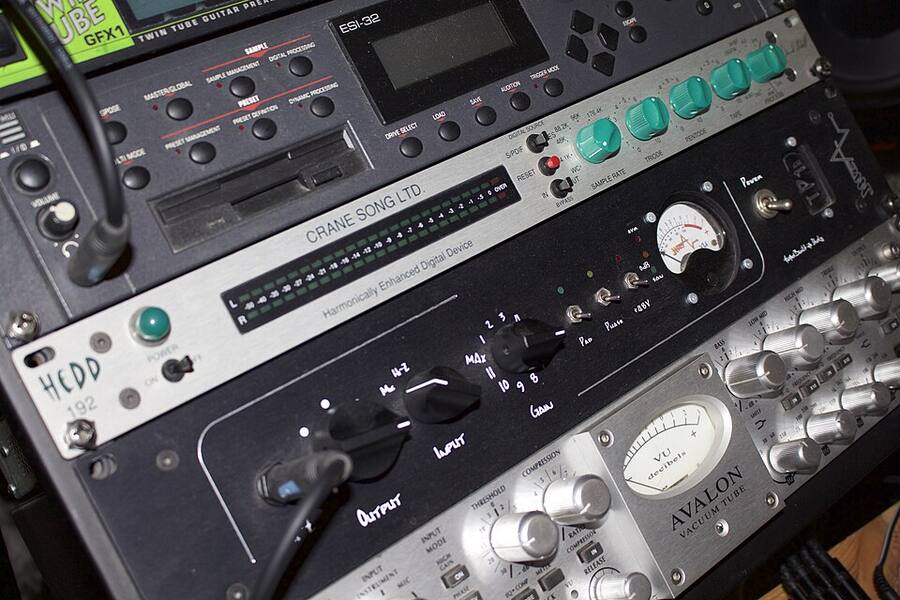
A Benchmark DAC is an audio converter made in the United States, and based in Syracuse, New York. The company manufactures equipment for recording studios and listening rooms. It is recognized for its engineering based on measurements.
The Benchmark DAC is most frequently employed for connecting a digital source to an amplifier, powered speaker or headphones. Also some models have volume controls and can be plugged directly into a speaker and/or a power amp.
For more reviews and hi-fi advice, see What Hi-Fi?.
Use computer's built-in converter. How is that different? Design priority. Generally, the parts that are built in are relatively small and inexpensive. A special DAC has been built to ensure the purest possible sound.
Why People Choose a Benchmark DAC
The primary one is accuracy. Low noise, low distortion is the most critical part of Benchmark. It also posts test results and when individuals purchase, they have the chance to check the claims instead of relying on the marketing statements.
Low distortion, Low noise and High fidelity.
The two specs that are most important here are signal to noise ratio and THD+N (total harmonic distortion plus noise). They reflect in a simple manner the peacefulness of the background and the relatively small variations of the sound.
Why is this important? A gentle background makes for a lot of detail. A bit of cymbal decay, room echo or singer's breath might be heard.
Jitter Control
Jitter is a small variation in timing that occurs in a digital signal. Too much will make fine detail hard to see. Benchmark is equipped with its own jitter-reduction system, dubbed UltraLock. The idea is to produce a good output, no matter how poor the input may be.
A Neutral Sound
A Benchmark DAC's goal is to add nothing and remove nothing. Studio engineers like this as it is how they want to hear the recording.
For those who prefer a warm and rich or colored tone, this style may be too simple. This is not a bug, it's a feature.
Studio-Style Build
Professional benchmarks: Designs. That means a well-balanced XLR output, rugged construction and user-friendliness in the hectic studio setting. Home listeners for the same take on a desk/rack type unit.
Popular Benchmark DAC Models
Over the years, Benchmark has been releasing various versions. Please refer to the official Benchmark website for the most up to date information prior to purchase – models and features may be subject to change.
The DAC1 Series
The DAC1 was a factor in the brand's reputation in the early 00's. It continues to be mentioned by the used gear buyers. If they are older units, they may save money, however, you should determine if they have issues, age and inputs.
The DAC2 Series
The DAC2 was an updated version of the DAC1, with some new features. Another one that you can purchase in the used sector. Before you purchase, check out what it does and the differences between it and what you have.
The DAC3 Series
The DAC3 line is the one that can be observed by a new consumer. Usually versions such as DAC3 HGC will have headphones output and volume controls. Others, such as DAC3 B, are simpler to use and serve as a straightforward converter, which will be plugged into a separate preamp or amp.
The inputs, outputs and volume controls vary among each of the Benchmark DAC models. Be sure to read the spec sheet carefully to only pay for what is needed.
Who Should Buy a Benchmark DAC?
These are the kinds of people who will find this type of DAC ideal:
- For accurate results: use a neutral microphone.
- Own speakers or headphones suitable to make a difference.
- Listen: preferably good files or lossless streams
Like products whose measurement is known and published the waste generated by these products is comparable. Comparable to products that have known and published measurements.
Do not go for a short-term solution but rather a long-term upgrade.
- May not be right for you if you:
- Only use inexpensive earbuds
- Press 1 to listen to a warm or a coloured sound.
- Looking for an easy-to-carry, portable device?
Constructions of a Benchmark DAC are possible on a desk or rack. It's not a "travel dongle.
Benchmark DAC vs Other DACs
There is a lot of competition in the DAC market. A lot of brands are pursuing additional features like multiple digital filters, tube stages or built-in streaming. Whereas Benchmark has a simpler approach: Clean conversion, strong measurements.
This equates to less settings to adjust. Some listeners would like that. Some prefer to use tone options or filters to alter the tone. Consider the group to which you belong.
Price matters too. The budget dongle is less expensive and some of the mid-range dongles include network streaming. Keep in mind, however, that a DAC is able to convert audio only. If you want something to stream there needs to be a device that will do that; if you're going to have a separate streamer, make sure your device of choice supports it.
How to Set Up Your Benchmark DAC
It's relatively easy to install. Follow these steps:
- Connect your source. Use USB, optical or coaxial – it depends on the model you have.
- Connect the outputs. Connect to your amp, powered speakers or headphone amp. Use gear that is made to be used as a balanced XLR.
- Choose the DAC as your output. On computer, check in your sound settings.
- Turn down volume then turn down the brightness. Gently lift it up so that it doesn't give a whosits!
- Sing a familiar tune. The familiar music aids in hearing what has changed.
Some additional hints are helpful. Turn off system sound effects to help keep the signal clean. Avoid setting the unit next to electrical noise (e.g. power adapters). It's wonderful to have the best cables, but it is not good to be too costly on the cables.
Things to Check Before You Buy
Before you buy a Benchmark DAC, ask yourself a few simple questions:
- Which inputs do I need? Match them to your source, such as a computer, TV, or streamer.
- Which outputs do I need? Check for XLR, RCA, or headphone connections.
- Do I need volume control? If you connect straight to an amp or active speakers, you might.
- Is my computer compatible? Check driver and operating system notes in the manual.
- What is my full budget? Include cables and any extra gear.
Then look at the seller’s return policy and warranty. If you buy used, ask for proof of the model name and condition.
Final Thoughts
A Benchmark DAC is not about flashy features. It is about clean, accurate, and honest sound that stays out of the way of your music. That approach has earned it respect among both studio engineers and home listeners.
It is a strong choice if you want neutral playback and own speakers or headphones that can show the difference. It is a weaker fit if you want a warm sound, a portable device, or built-in streaming.
The best next step is simple. List your sources, check the inputs and outputs you need, and compare current models on the official website. If those points match, a Benchmark DAC can be a long-lasting upgrade to your listening setup.
FAQs
What is a Benchmark DAC used for?
It converts digital audio from a computer, streamer, or player into an analog signal. That signal goes to an amp, powered speakers, or headphones. Its goal is clean, accurate playback.
Is it good for headphones?
Some models include a headphone output, and others do not. If yours has none, you can pair it with a separate headphone amp. Check the model’s features before you buy.
Does it need drivers?
It depends on the model, the connection, and your computer. Many modern devices work without extra software on some systems, while others may need a driver. The product manual gives the correct answer for your setup.
Is a Benchmark DAC worth the money?
It is worth it if you value accuracy and own gear that can show the difference. If you mainly use cheap earbuds or want a colored sound, you may prefer a different product.
Can it improve low-quality files?
A better DAC cannot add detail that was never in the file. It can reduce noise and distortion added during conversion. Good source files and good playback gear still matter most.
Can I use it with streaming services?
Yes, as long as your source device can send the audio to it. A phone, computer, or network streamer can all work. The DAC only handles the conversion step.